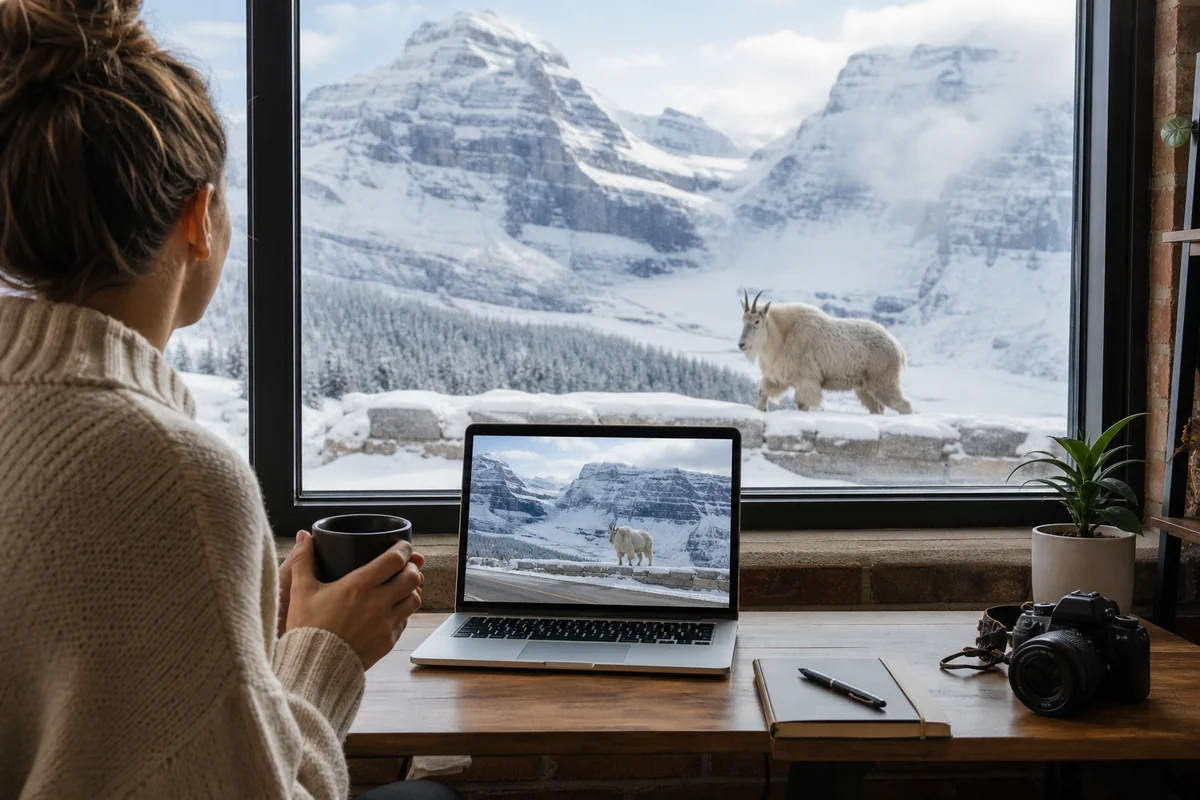
I was sitting in my Chicago apartment last February, staring at a live webcam feed of Going-to-the-Sun Road, watching snow blow sideways across Logan Pass while a mountain goat casually strolled into frame.
That single moment changed how I plan every Montana trip. Webcams have become my secret weapon for everything from timing wildflower season to avoiding whiteout conditions on mountain passes, and I’m convinced they’ll transform your Montana travel tips toolkit forever.
- Montana webcams provide real-time views of national parks, ski resorts, mountain passes, and wildlife areas
- Best webcams: Glacier NPS cams, Big Sky Resort, Montana DOT highway cams, and Old Faithful geyser cam
- Use webcams to check weather conditions, road closures, crowd levels, and wildlife activity before you go
- Most webcams refresh every 10-60 seconds; some offer 24/7 livestreams with sound
- Bookmark Montana DOT’s 511 system for real-time road conditions during winter travel
- Webcams can help you time perfect photography conditions and avoid peak tourist crowds
Liked this article?
Add Roaming Montana as a preferred source so you see more of our articles and guides on Google.
Why Montana Webcams Changed My Trip Planning Forever
I used to plan Montana trips the old-fashioned way—checking weather forecasts, reading trip reports from weeks prior, and basically hoping for the best. Then I missed the peak wildflower bloom at Logan Pass by exactly three days. The photos from other visitors that week haunted me.
That’s when a ranger at Glacier told me about the NPS webcam network. “Check the webcams daily starting in late June,” she said. “You’ll see exactly when the beargrass starts blooming.”
She was absolutely right. Now I watch those feeds like some people watch morning television. The difference in trip quality has been remarkable.
During my visit to Yellowstone last summer, I used the Old Faithful webcam to time our arrival perfectly. We walked up to the viewing area exactly four minutes before an eruption. The families who’d been waiting for 45 minutes in the July heat looked at us like we’d cheated—and honestly, we kind of had.
The Essential Montana Webcam Categories You Need to Know
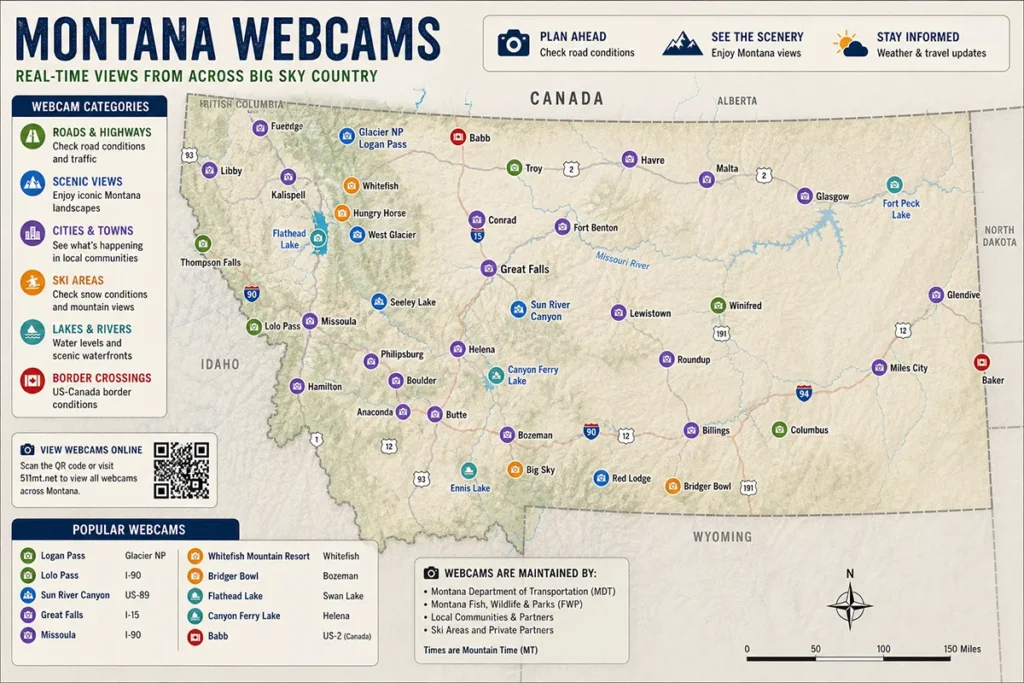
Montana webcams fall into several distinct categories, and understanding what each offers will help you use them strategically. I’ve spent countless hours testing different webcam networks, and here’s how I break them down.
National Park Service Webcams
The NPS operates some of the highest-quality webcams in Montana, and they’re completely free. Glacier National Park alone has multiple cameras positioned at key locations, including views from the Apgar Lookout, St. Mary Visitor Center, and various points along Going-to-the-Sun Road when it’s accessible.
These cameras typically refresh every 30-60 seconds and provide timestamps, which I’ve found invaluable for tracking weather patterns throughout the day.
What makes NPS webcams special is their positioning. Rangers chose these spots specifically to show what visitors care about—road conditions, weather, and scenic views.
During my research for a September trip, I watched the St. Mary camera daily for two weeks. I could literally see the larch trees turning gold in real-time.
Montana Department of Transportation Highway Cams
If you’re wondering whether Montana is safe to visit during winter months, MDOT webcams are your best friend. The 511MT system maintains cameras at critical highway points, mountain passes, and urban intersections throughout the state.
I’ve personally avoided at least three dangerous driving situations by checking these cameras before departing. Last December, I planned to drive from Missoula to Butte on I-90.
The forecast said “light snow.” The webcam at Homestake Pass showed near-zero visibility and vehicles crawling at 15 mph. I delayed my departure by four hours and had a completely different—and much safer—drive.
Ski Resort Webcams
Montana’s ski resorts maintain some of the most sophisticated webcam networks in the state. Big Sky Resort, Whitefish Mountain Resort, and Bridger Bowl all offer multiple camera angles showing base areas, summit conditions, and lift lines.
What I love about resort webcams is that they’re designed to make you want to visit. The quality is typically excellent, and many offer livestreams rather than just static image refreshes.
During my last ski trip to Whitefish, I used their webcam to time our arrival after a morning rush. We hit first chair for the afternoon session when the lift lines had dropped from 20 minutes to basically nothing.
Wildlife and Nature Webcams
These are the hidden gems of Montana webcam watching. Several organizations maintain cameras focused on wildlife habitats, including osprey nests, bear dens, and elk wintering grounds.
I spent an entire evening last spring watching an osprey family on the Hellgate Canyon cam near Missoula. The parents were teaching their juveniles to fish. No nature documentary could replicate watching that unfold in real-time.
Best Montana Webcams by Region
Let me walk you through the specific webcams I actually use, organized by where you’re likely to be traveling. I’ve tested all of these personally and can vouch for their reliability and image quality.
Glacier National Park and Northwest Montana
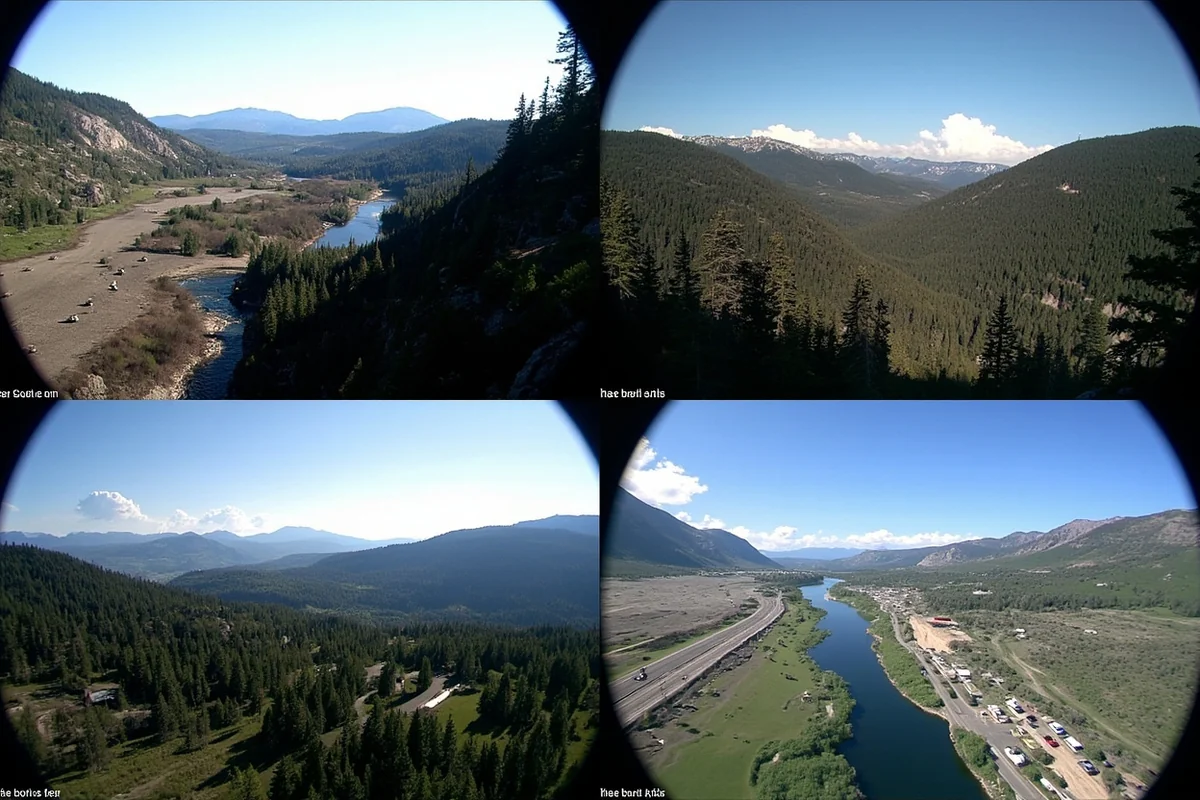
The Glacier National Park webcam network is extensive and genuinely useful. The Apgar Lookout camera offers panoramic views of Lake McDonald and the surrounding peaks.
During my visit last August, I used this camera to track wildfire smoke conditions before driving up from Kalispell. The Montana air quality can change rapidly during fire season, and this webcam gave me real-time visibility information.
The St. Mary Visitor Center camera shows the east side of the park, which often has completely different weather than the west. I’ve seen sunny skies on the Apgar cam while St. Mary showed thunderstorms rolling in. This information is crucial for planning which side of the park to explore.
For Going-to-the-Sun Road conditions, the NPS updates webcam feeds specifically during the spring plowing season. Watching the progress of the snowplows in May and June has become something of a cult activity among Montana enthusiasts. I’ll admit to checking these feeds multiple times per day when planning a June trip.
Whitefish Mountain Resort maintains excellent webcams year-round. Even in summer, these cameras show you current weather conditions and visibility for hiking. I used them to plan a gondola ride last July, waiting for a morning fog to clear before heading up.
Yellowstone National Park Webcams
Yes, Yellowstone technically spans Montana and Wyoming, but the Montana entrances and approaches make these cameras essential for many Montana visitors.
The Old Faithful webcam is legendary. It’s a livestream with sound, and you can actually hear the eruption. More practically, the camera shows crowd levels around the geyser.
I recommend checking it around 7 AM—if you see minimal crowds at that hour, plan for an early morning visit during your trip.
The Mount Washburn camera provides stunning high-elevation views and is surprisingly useful for gauging weather patterns moving through the park.
During my last Yellowstone visit, I watched a storm system approach on this camera and adjusted our itinerary to be indoors (at the Mammoth Hot Springs visitor center) when it hit.
The Mammoth Hot Springs area webcam shows both the thermal features and the infamous elk herd that treats the area as their personal spa. I’ve spotted elk, mule deer, and once what I’m fairly certain was a coyote on this feed.
Central Montana and Great Falls Area
Central Montana is often overlooked by webcam watchers, but the MDOT cameras along I-15 and Highway 87 are essential for anyone planning to traverse this region.
The Great Falls area cameras show the Missouri River and urban conditions. During my road trip from Glacier to Yellowstone, these cameras helped me understand weather transitions between mountain and prairie environments.
If you’re wondering how long it takes to get to Montana destinations through this corridor, checking these cameras can help you anticipate any delays from construction or weather.
Bozeman and Southwest Montana
Bridger Bowl ski area maintains webcams that are useful year-round. The summit camera provides views of the Bridger Range and can help you anticipate conditions for hiking Sacajawea Peak in summer months.
Big Sky Resort has perhaps the most comprehensive resort webcam network in Montana. Multiple angles cover the Lone Peak Tram, base village, and intermediate terrain. When planning my last Big Sky trip, I used these cameras to assess snow coverage on specific runs I wanted to ski.
The Bozeman Pass camera on I-90 is critical for winter travelers. This pass can be treacherous when conditions deteriorate quickly, and I always check this feed before driving between Bozeman and Livingston in winter.
Missoula and Western Montana
The University of Montana maintains several webcams in the Missoula area that show current conditions around campus and the surrounding mountains. The view toward Lolo Peak has helped me plan hiking trips with confidence.
Lookout Pass on the Montana-Idaho border has one of the most important MDOT cameras for interstate travelers. I-90 through this area can close during severe weather, and this camera provides advance warning of deteriorating conditions.
Practical Table: Top Montana Webcams at a Glance
| Webcam Location | Best For | Refresh Rate | Year-Round? |
|---|---|---|---|
| Glacier NP – Apgar Lookout | Weather, smoke, scenic planning | 60 seconds | Yes |
| Old Faithful Geyser Cam | Eruption timing, crowd levels | Livestream | Yes |
| Big Sky Resort – Lone Peak | Ski conditions, visibility | Livestream | Yes |
| MDOT Homestake Pass | I-90 winter driving conditions | 60 seconds | Yes |
| Whitefish Mountain Summit | Ski conditions, summer hiking | 30 seconds | Yes |
| St. Mary Visitor Center | East Glacier weather, fall colors | 60 seconds | Yes |
How I Use Webcams for Different Trip Planning Scenarios
Over the years, I’ve developed specific strategies for using webcams depending on what type of trip I’m planning. Let me share the approaches that have worked best for me.
Planning a Glacier National Park Visit
When I’m planning a Glacier trip, webcams serve multiple purposes. First, I check them weeks in advance to understand seasonal patterns. Is snow still visible on the peaks? Are the lower elevation trees starting to change color? How much smoke is present?
About a week before my trip, I start checking daily. I’m looking for weather patterns—does fog typically roll in during afternoons? Is rain predicted to clear by midday? This information shapes my daily itinerary.
On travel days, I check webcams immediately before departing my accommodation. Last summer, I woke up to clear skies in Whitefish, but the Apgar cam showed dense morning fog.
I had a leisurely breakfast and arrived at Lake McDonald just as the fog lifted—perfect photography conditions with no crowds.
For budget travelers, this kind of timing can make a huge difference. Instead of wasting paid park entrance time sitting in fog, you can maximize your visit. If you’re exploring how to visit Montana on a budget, strategic webcam use helps you get the most from every dollar spent.
Planning Winter Driving
Montana winter driving requires respect and preparation. Webcams have become my non-negotiable safety check before any significant drive between November and April.
My routine is simple: I check all MDOT cameras along my intended route, looking specifically at pavement conditions, visibility, and traffic flow. If I see vehicles with their hazard lights on, I know conditions are challenging. If the camera itself is obscured by snow or ice buildup, that tells me something too.
I also cross-reference webcam views with the 511MT road condition reports. Sometimes a road might be listed as “travel not advised” while the webcam shows improving conditions, or vice versa. Having both pieces of information helps me make better decisions.
Timing Wildlife Viewing
This is where webcams get really fun. I’ve used wildlife-focused webcams to understand animal behavior patterns before visiting specific areas.
The Lamar Valley in Yellowstone is famous for wolf and bison viewing. While there isn’t a dedicated wildlife webcam there, the general area webcams help me understand visibility and conditions.
More importantly, I’ve learned that early morning—before most tourists arrive—is prime wildlife time. Checking webcams at 6 AM Montana time from the East Coast helped me understand dawn conditions before my trip.
For osprey and raptor watching near Missoula, dedicated nest cams have taught me when chicks are most active (typically when parents return with food). This knowledge helped me time my visits to riverside areas where I could see similar behavior in person.
Photography Trip Planning
Serious photographers know that conditions make or break a shot. Webcams have become essential to my photography planning toolkit.
I use webcams to understand typical lighting conditions at different times of day. The angle of shadows, presence of clouds, and overall visibility all affect what I might capture.
Before my last autumn photography trip to Glacier, I spent two weeks observing how morning light hit the mountains visible from the St. Mary camera.
I also use webcams to scout for unexpected conditions. That mountain goat I mentioned at the start? I’d been watching for three days hoping to see wildlife in the frame.
When it appeared, I knew exactly how animals moved through that area—information I used when positioning myself for wildlife shots during my actual visit.
Technical Tips for Getting the Most from Montana Webcams
After years of webcam watching, I’ve learned some technical tricks that improve the experience significantly.
Bookmark Organization
I maintain a browser folder called “Montana Cams” with subfolders for each region and trip type. Before any Montana trip, I can open an entire folder at once and see current conditions across my route in seconds.
Organizing by region (Northwest, Southwest, Central, Yellowstone) makes more sense than organizing by webcam provider. When planning a specific trip, you want all relevant cameras regardless of who operates them.
Understanding Refresh Rates and Timing
Static webcams refresh at different intervals. Some update every 10 seconds, while others might take a full minute. Knowing the refresh rate helps you avoid sitting there wondering if the feed is frozen.
For livestream webcams, be aware that your internet connection quality affects what you see. If you’re checking from a hotel with slow WiFi, the stream might buffer or show lower quality. I’ve learned to check webcams on good connections when making critical decisions.
Time zones matter too. All Montana webcams display Mountain Time, so if you’re planning from the East Coast like I often am, remember to add two hours. That 7 AM sunrise you’re hoping to catch will show at 9 AM your time.
Mobile Access Considerations
When you’re already traveling in Montana, webcam access can be tricky. Cell coverage in Montana is notoriously spotty, especially in the areas where webcam information would be most useful.
I’ve found that downloading or screenshotting webcam views while I have service is more reliable than hoping for coverage later. Before leaving Bozeman for a day in Yellowstone, I’ll check all relevant webcams and save the images to my phone. Even if they’re an hour old, they give me useful baseline information.
If you’re working remotely during your trip and need reliable connectivity for webcam checking and work, you might want to explore VPN options for Montana travel as well.
Seasonal Webcam Strategies
How I use webcams changes dramatically based on the season. Here’s my approach throughout the year.
Spring (March-May)
Spring is all about snowmelt and road openings. I watch Going-to-the-Sun Road progress obsessively during this period. The NPS posts regular plow cam updates that show exactly where crews are working.
I also use webcams to track mudslide risk areas. After heavy snowpack winters, spring runoff can cause road closures. Webcams showing roadways can reveal muddy conditions or debris that might not make official reports immediately.
For those interested in northern lights viewing in Montana, spring offers longer nights than summer. I use dark sky webcams to check for cloud cover before heading out for aurora hunting.
Summer (June-August)
Summer webcam use focuses on smoke, crowds, and weather patterns. Fire season can start as early as late June, and webcams provide real-time visibility information that supplements air quality index readings.
I check crowd-focused webcams before heading to popular areas. The Old Faithful cam can show parking lot fullness, and resort base area cams reveal how busy hiking trailheads might be.
Afternoon thunderstorms are common in Montana summers. Morning webcam checks help me plan whether to tackle high-elevation hikes early or save them for clearer days.
Fall (September-November)
Fall color tracking is my primary webcam use during this season. Different elevations peak at different times, and webcams let me watch the progression from my home.
I also start checking highway cameras more frequently as the first winter storms approach. October can bring surprise snow to mountain passes, catching unprepared travelers off guard.
Before your fall visit, review the Montana packing list essentials—fall weather is notoriously unpredictable, and webcams will show you exactly why layers matter.
Winter (December-February)
Winter is peak webcam utility season. I check highway cameras before every single drive, no exceptions. Mountain passes can go from clear to dangerous within an hour during winter storms.
Ski resort webcams help me plan which terrain to prioritize. If one area looks foggy while another shows clear skies, I adjust my plans accordingly.
For those concerned about Montana travel restrictions during severe weather, webcams provide advance warning of potential closures. If I see deteriorating conditions on multiple highway cameras, I know restrictions might be coming.
Hidden Gem Webcams Most Visitors Miss
Beyond the major tourist-focused webcams, several lesser-known options have provided me with valuable information over the years.

University Research Station Cameras
Montana State University and the University of Montana operate research station webcams throughout the state. These are typically positioned in remote locations and provide views you won’t find elsewhere.
The quality varies, and many aren’t updated for public convenience, but they can offer insights into backcountry conditions that no other webcam provides.
Local Business Webcams
Some Montana lodges, outfitters, and restaurants maintain webcams showing their locations. These often provide unique angles on popular areas. A marina webcam might show lake conditions better than any official source.
I’ve found these by simply searching for specific town names plus “webcam.” You’d be surprised what local businesses have set up.
International Dark Sky Webcams
Montana has some of the darkest skies in the lower 48, and a few locations maintain dark sky webcams specifically for astronomical viewing. These are invaluable for planning stargazing or astrophotography sessions.
Understanding Webcam Limitations
I’d be doing you a disservice if I didn’t acknowledge what webcams can’t do. Being aware of limitations helps you use these tools appropriately.
Webcams show a fixed field of view. Conditions just outside the frame might be completely different. I’ve seen sunny webcam views from Glacier while severe storms were occurring just a few miles away.
Image quality varies enormously. Some cameras produce crisp, color-accurate images. Others are grainy and misleading. Don’t trust color assessment from older cameras—that gray sky might actually be blue.
Webcams can go offline without notice. Having backup options for any critical information is essential. I never rely on a single webcam for safety decisions.
Finally, webcams show current conditions, not forecasts. For trip planning, you still need to check weather predictions. Webcams confirm what’s happening now, which may or may not continue.
Budgeting Your Trip Using Webcam Intelligence
Understanding how to use webcams strategically can actually save you money during your Montana trip. When I’m thinking about how much visiting Montana will cost, webcam intelligence plays a role.
By timing visits to avoid peak crowds (visible on webcams), you might score better deals on accommodations during shoulder periods. By checking conditions before committing to activities, you avoid wasting money on excursions ruined by weather.
I once saved $200 on a guided fishing trip by checking river webcams that morning. The water was clearly chocolate brown from upstream rain—unfishable conditions. The outfitter confirmed my suspicion and rescheduled without penalty because I caught it early.
Additionally, flights to Montana can be expensive, so maximizing your time once you arrive matters. Webcams help ensure every day of your trip counts.
My Webcam Watching Ritual Before Every Montana Trip
I want to leave you with my actual process—the specific steps I take using webcams before any Montana visit.
Four weeks before departure, I start daily webcam checks. I’m establishing baseline conditions and watching for seasonal changes. I note patterns in my phone’s notes app.
Two weeks before, I intensify to twice-daily checks—morning and evening. I’m looking for consistency and any concerning trends like increasing smoke or early snow.
One week before, I start checking specific activity webcams. Planning to hike Highline Trail? I’m watching that area specifically. Planning to fish the Madison? I’m checking river webcams.
The day before departure, I do a comprehensive check of all cameras along my route and at my destination. This shapes my first-day plans.
During the trip, I check webcams each morning before committing to the day’s itinerary. Montana weather changes fast, and conditions an hour away might be completely different from where I wake up.
This ritual takes maybe 15 minutes total per day. The payoff in trip quality is immeasurable.
Before you start your own webcam research, don’t forget the basics—making sure Montana tap water is safe to drink at your destination and understanding local conditions beyond what cameras can show.
Montana webcams have genuinely transformed how I experience this incredible state. They’ve helped me avoid dangerous situations, time perfect wildlife encounters, capture photography I’m proud of, and simply understand this massive, varied landscape better. I can’t imagine planning a Montana trip without them now, and I’m confident you’ll feel the same once you start incorporating them into your own planning process.
Frequently Asked Questions
What are the best Montana webcams to check before planning a road trip?
I always check the Montana Department of Transportation webcams at 511mt.net for real-time highway conditions, plus the Glacier National Park webcams for mountain views and weather assessment. The Old Faithful webcam in nearby Yellowstone and Flathead Lake webcams are also incredibly useful for timing your visit around actual conditions rather than just forecasts.
How can Montana traffic webcams help me avoid dangerous driving conditions?
Montana’s mountain passes like Lookout Pass and Marias Pass can change from clear to whiteout conditions within hours, so I check MDT webcams 30 minutes before departing. These live cameras show current road surfaces, visibility, and whether plows are active, which has saved me from getting stranded on I-90 and Highway 2 multiple times during winter trips.
Are there free live webcams showing wildlife in Montana?
Yes, several free webcams capture Montana wildlife including the Osprey nest cam at Hellgate Canyon near Missoula and various elk and bison cams near Yellowstone’s northern entrances. The National Park Service operates seasonal wildlife webcams that are perfect for previewing what animals might be active during your planned visit dates.
What’s the best time of year to use Montana webcams for trip planning?
I find Montana webcams most valuable from October through May when weather is unpredictable and road closures are common. During summer months, they’re still useful for checking wildfire smoke conditions and crowding at popular trailheads, which helps me decide whether to adjust my itinerary or visit certain areas earlier in the morning.
Can I check Glacier National Park’s Going-to-the-Sun Road conditions via webcam?
The National Park Service maintains webcams at key points along Going-to-the-Sun Road, including Logan Pass at 6,646 feet elevation. I recommend checking these daily in late spring (May-June) when the road gradually opens, as conditions at lower elevations often differ dramatically from the summit where snow can linger into July.
Do Montana ski resort webcams show real-time snow conditions?
Most major Montana ski areas including Big Sky, Whitefish Mountain, and Bridger Bowl offer free base and summit webcams updated every few minutes. I use these alongside reported snow depths to verify actual coverage before driving 3-4 hours from cities like Bozeman or Missoula, potentially saving hundreds in wasted lift tickets and gas money.
How accurate are Montana webcam images for planning outdoor activities?
Montana webcams typically refresh every 1-10 minutes and accurately reflect current conditions, though camera angles can be deceiving about snow depth or trail accessibility. I cross-reference webcam views with local weather stations and recent visitor reports on AllTrails or Facebook groups for the most complete picture before committing to backcountry hikes or scenic drives.
Sources